
T4F OS — Personal multi-module app
An app I wrote and use daily: tasks, personal finance, and an approval inbox for entries a chatbot logged for me.
Tech Stack
What it does
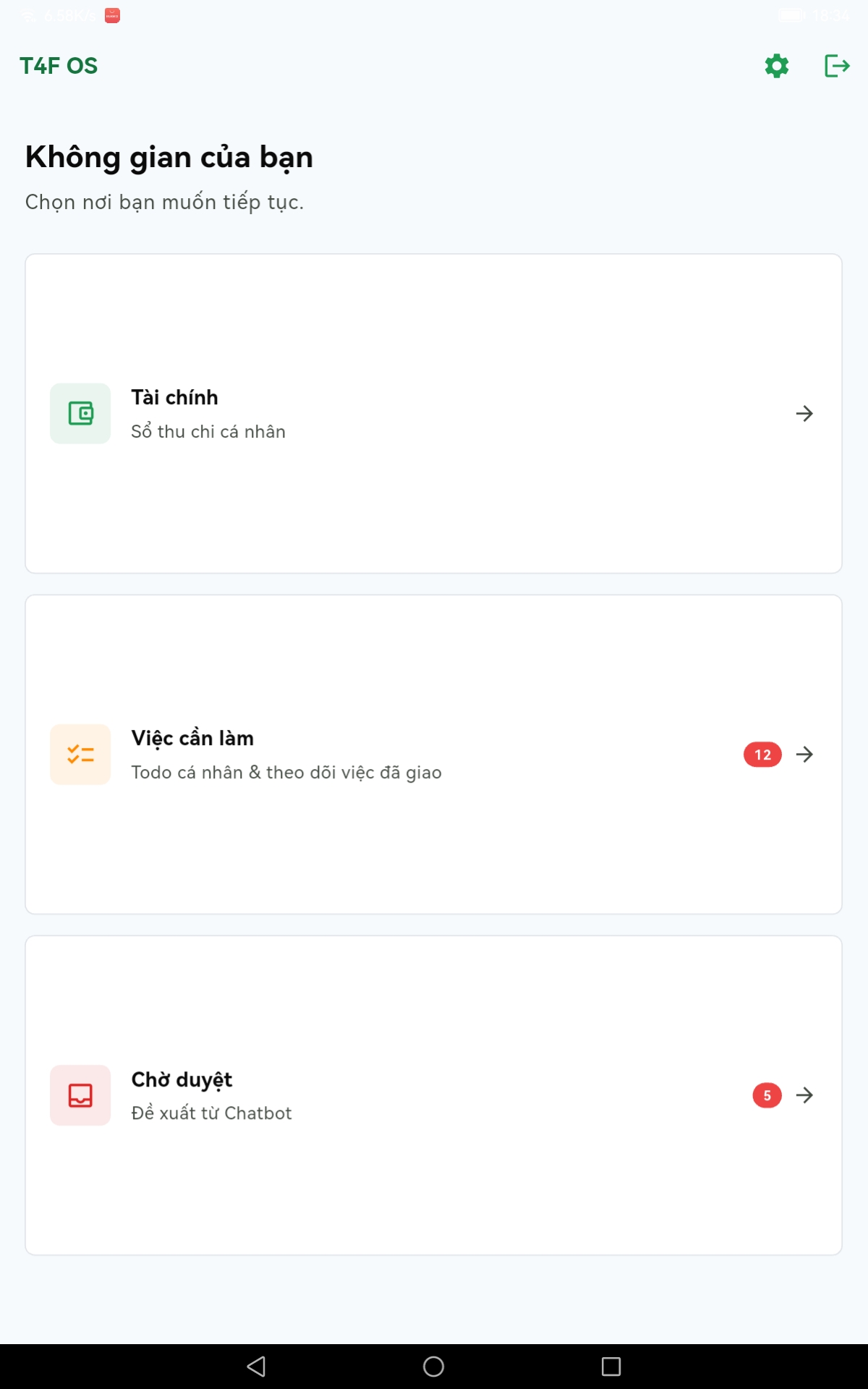
Opening the app gives you a chooser: Finance, Tasks, Pending approvals. Each tile carries its waiting count, so one glance tells you what today holds.
Tasks
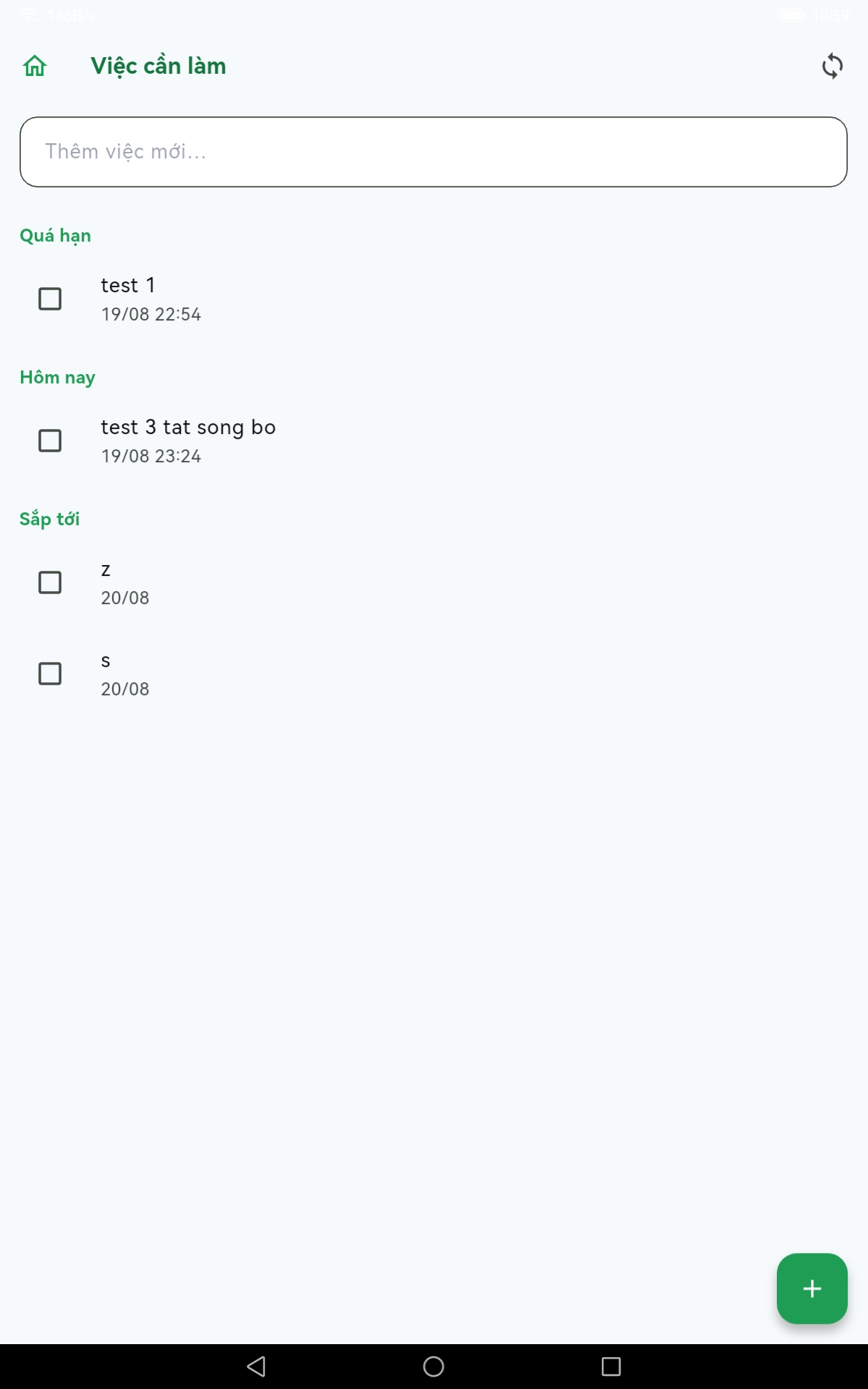
Work is grouped into Overdue · Today · Upcoming rather than one flat list.
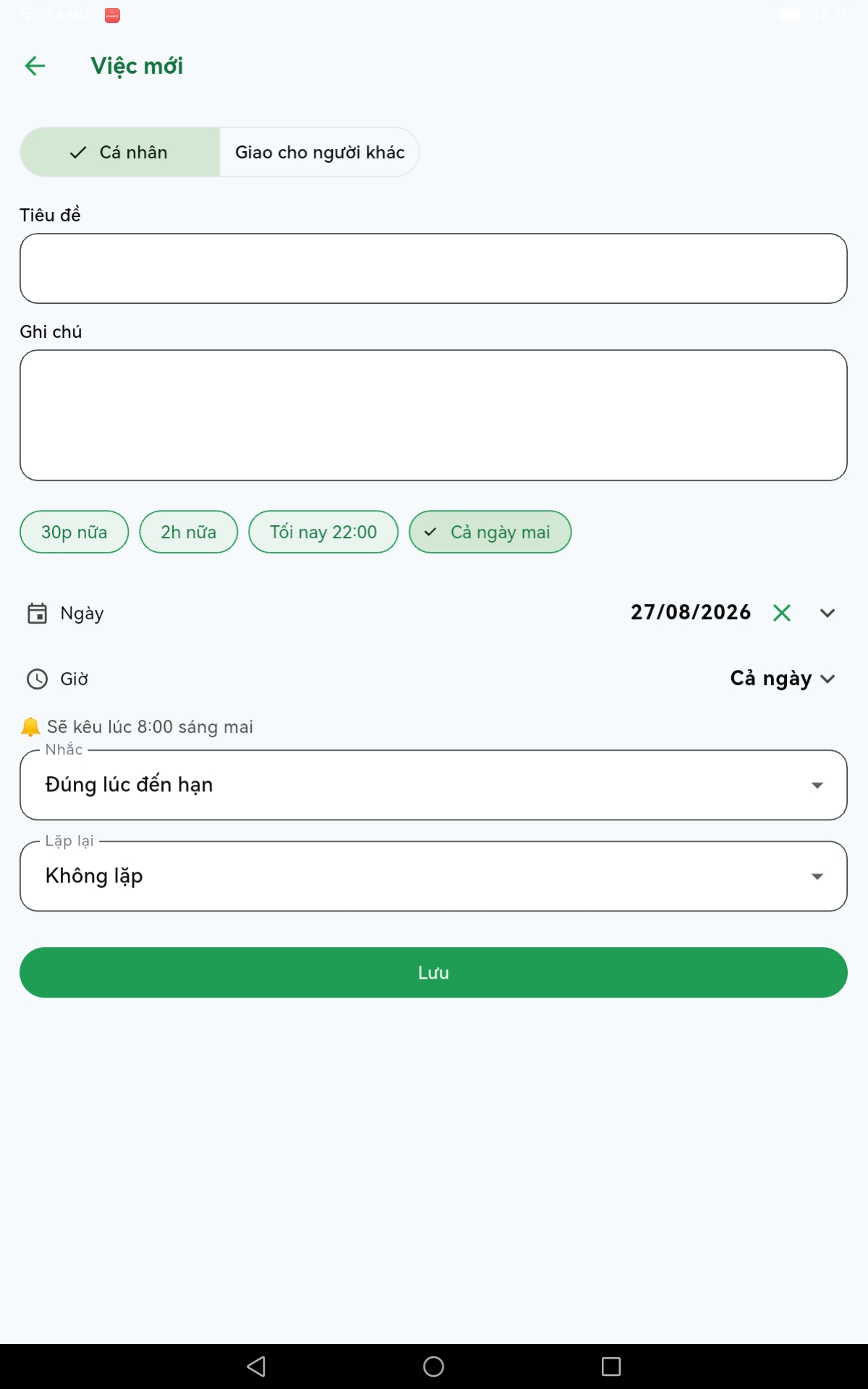
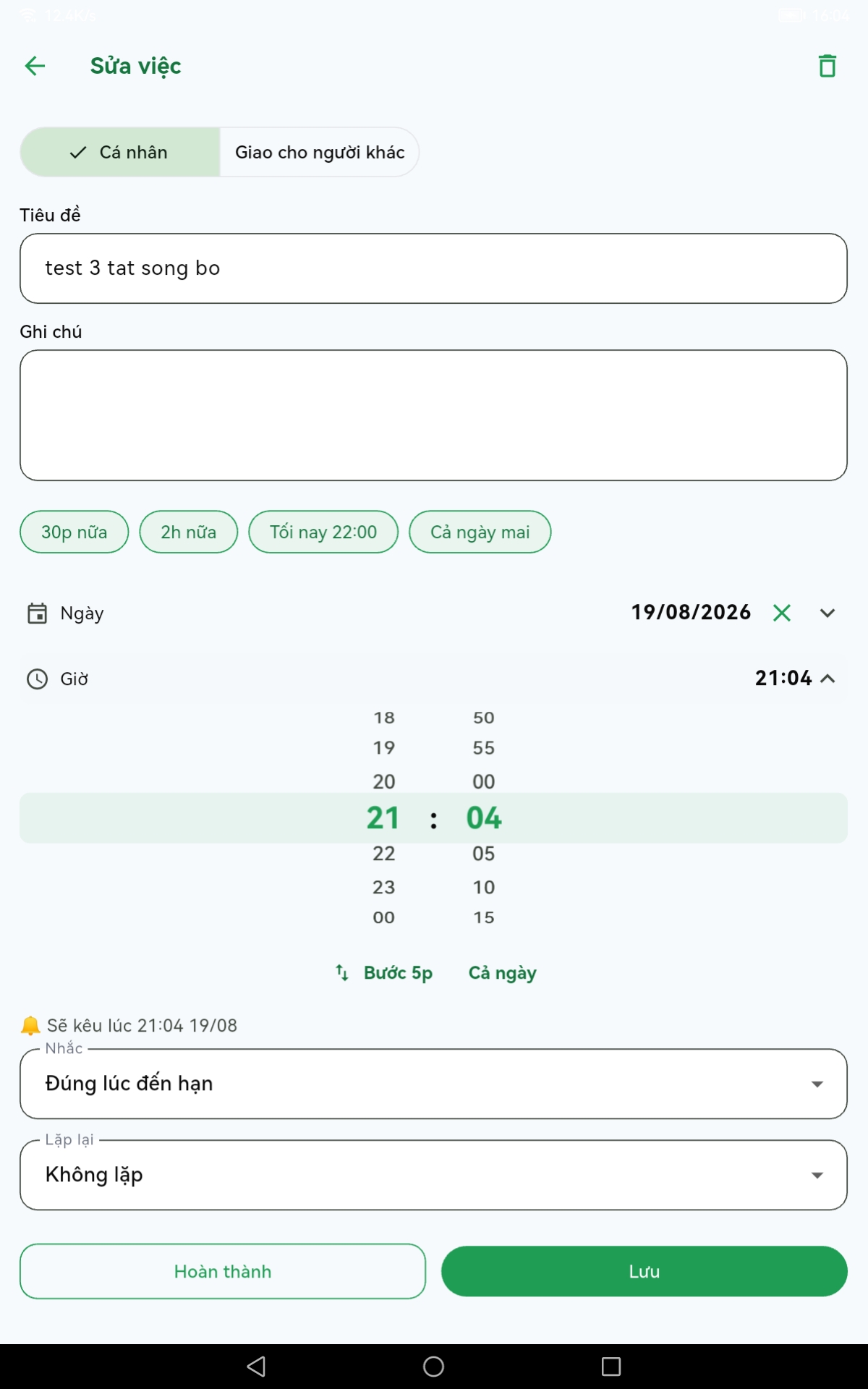
Due times are set from chips — in 30 minutes, in 2 hours, tonight at 22:00, all day tomorrow — or from a calendar and a time wheel. A line reading will ring at… sits right below, so the alarm time is known rather than guessed.
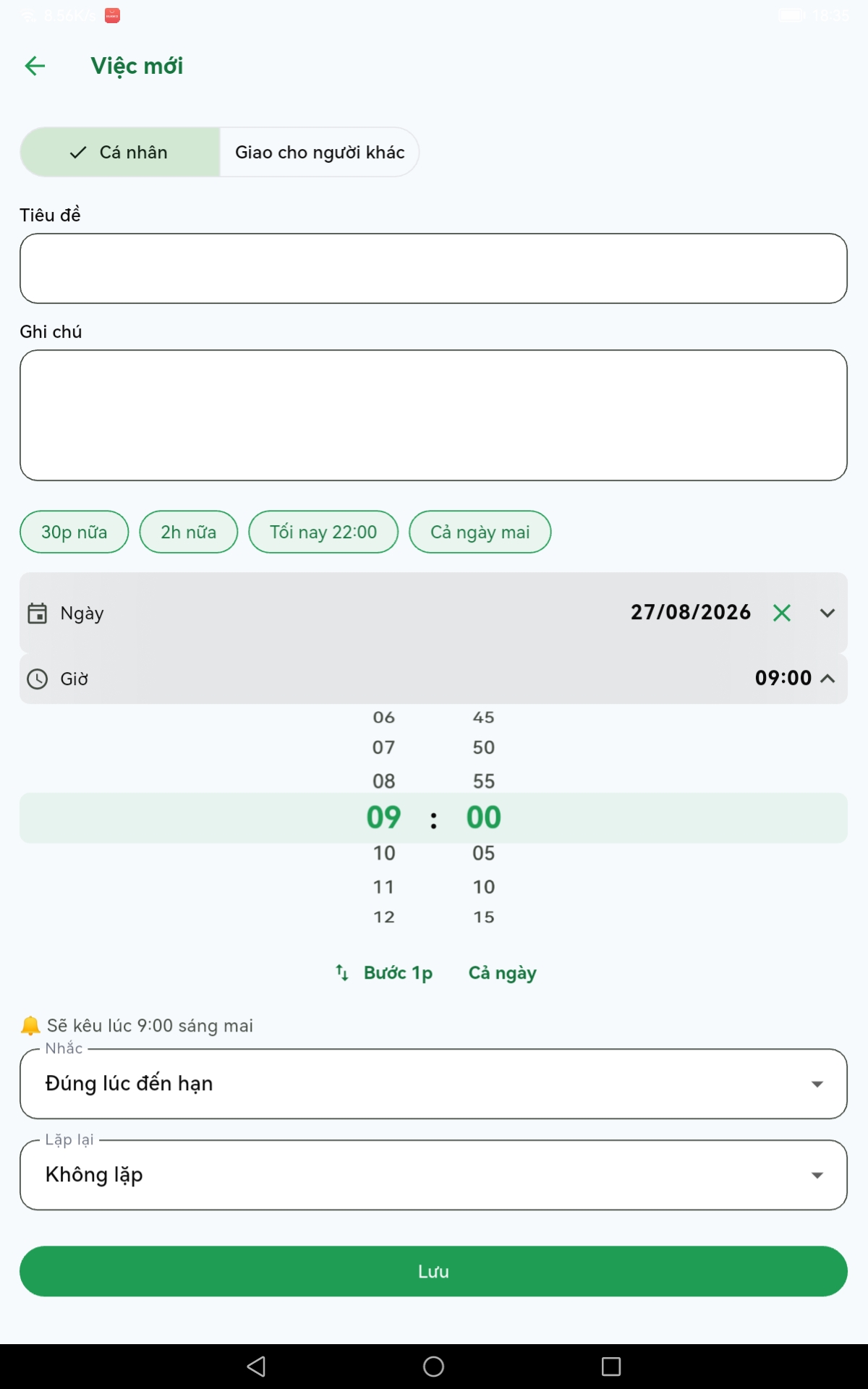
The wheel steps in five minutes by default, with one button to drop to one-minute steps for odd times.
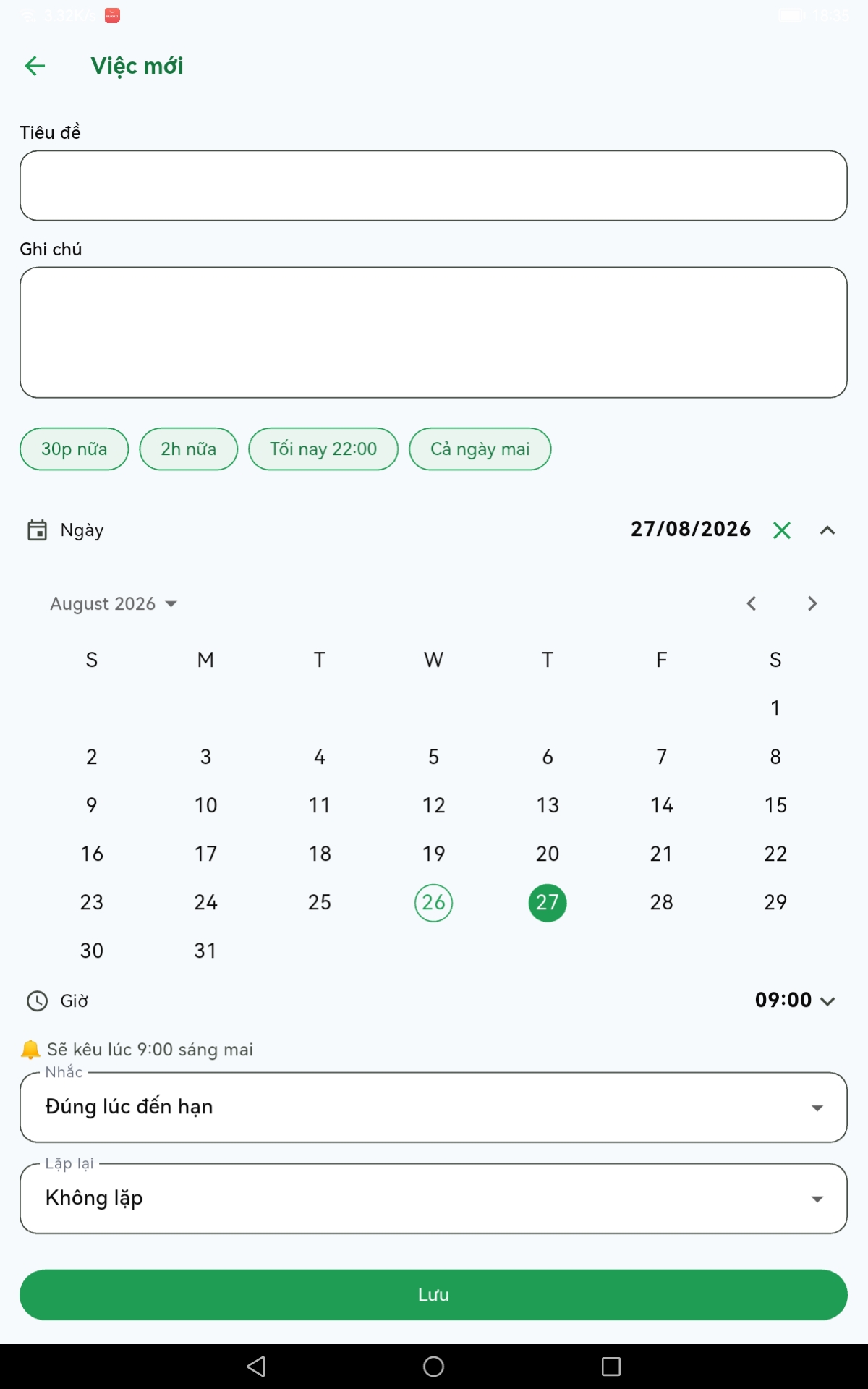
Recurrence offers the common patterns plus an ending rule: never, until a date, or after N occurrences. Work delegated to someone else reminds me to follow up; nothing is sent to them.
Personal finance
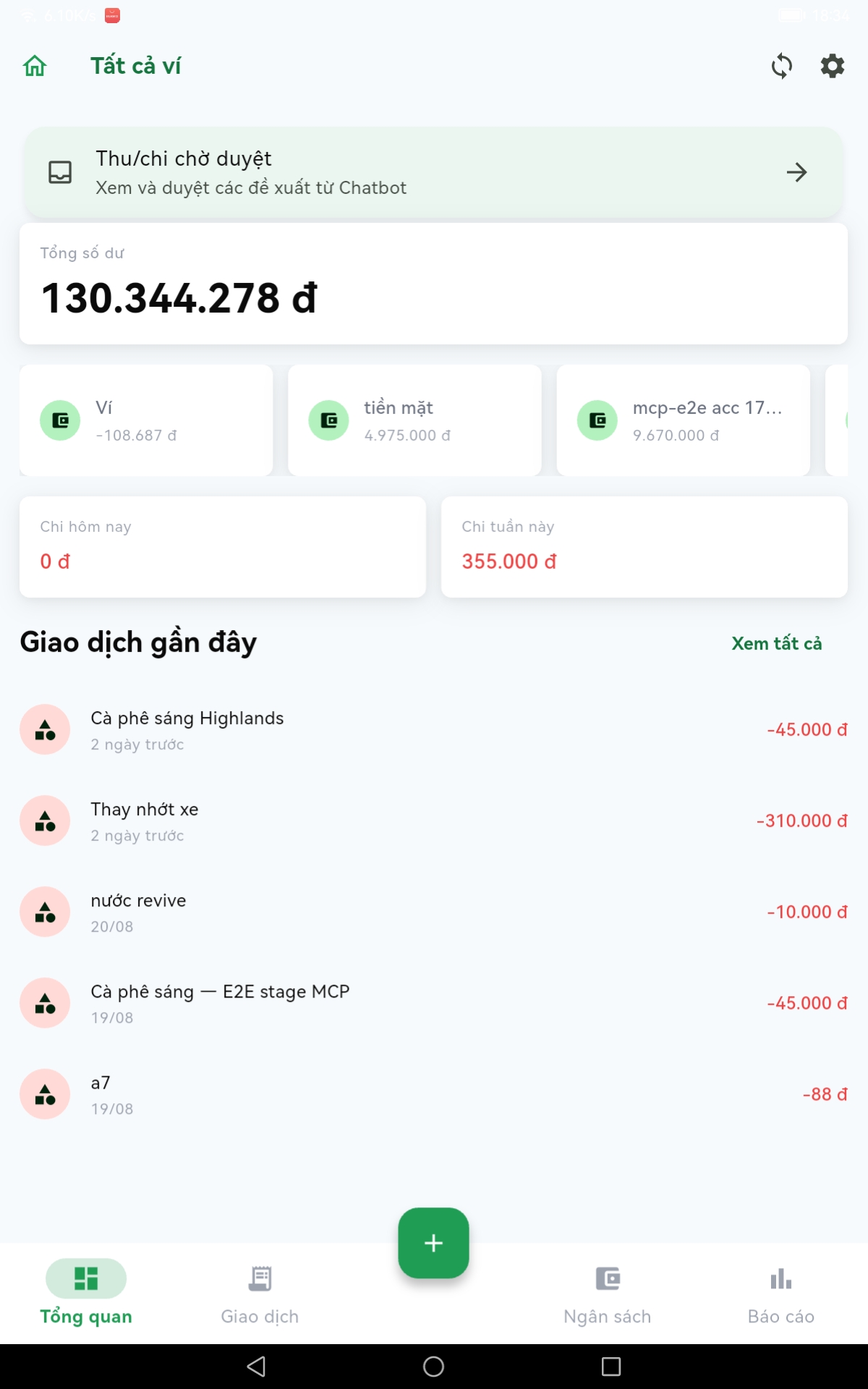
Total balance, multiple wallets, today's and this week's spending on the first screen.
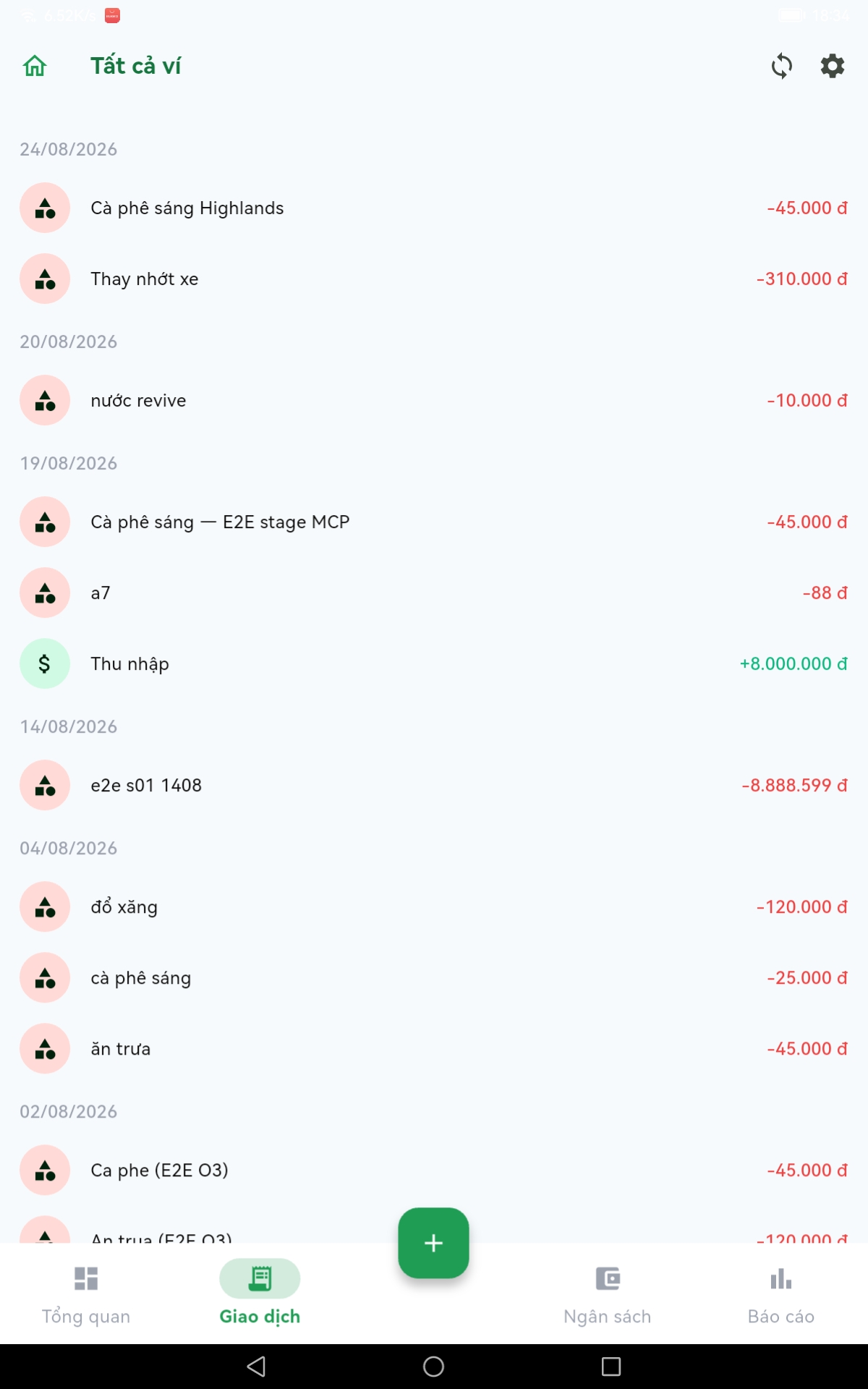
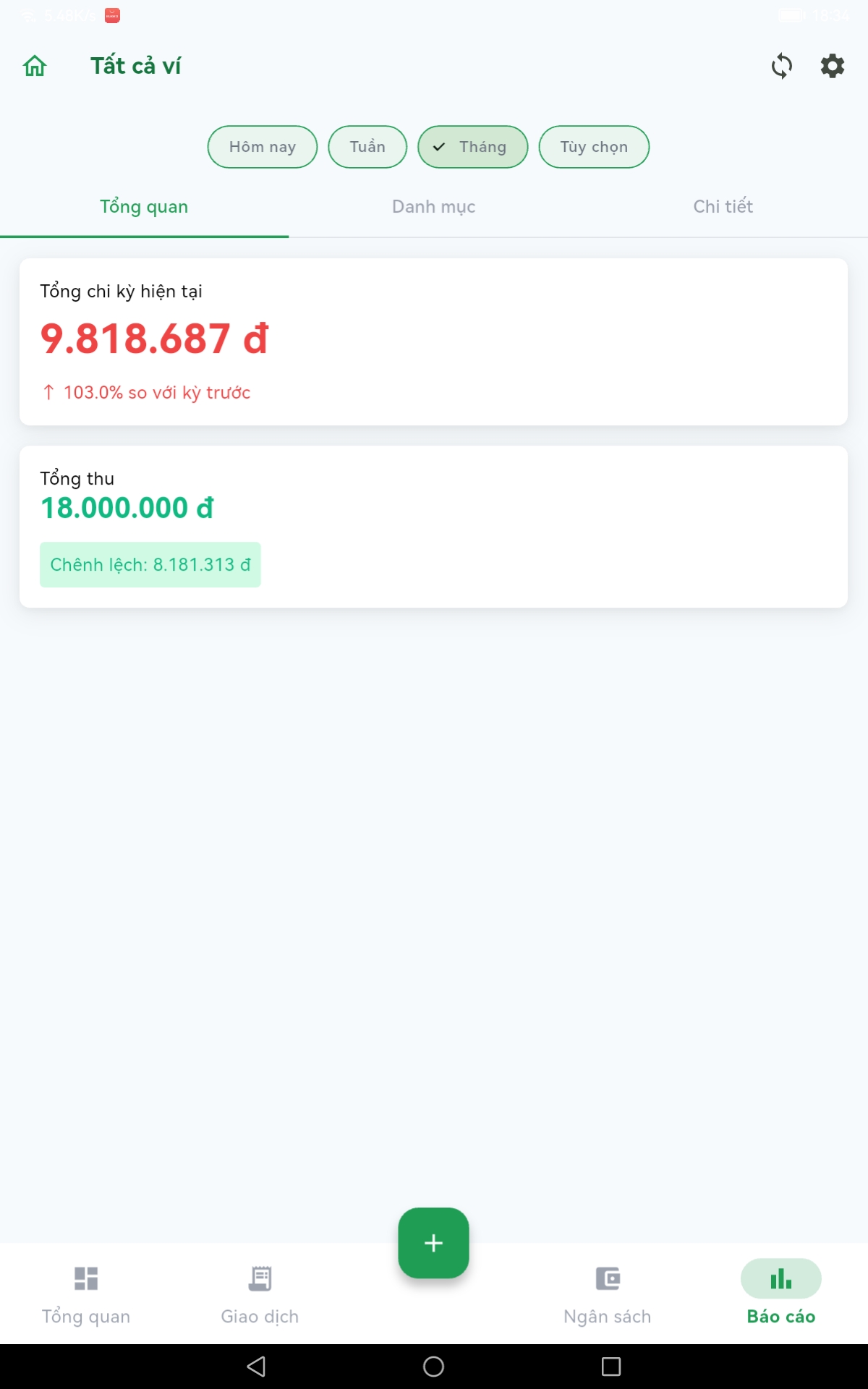
Reports cover today, the week, the month or a custom range, compared against the previous period.
The approval inbox
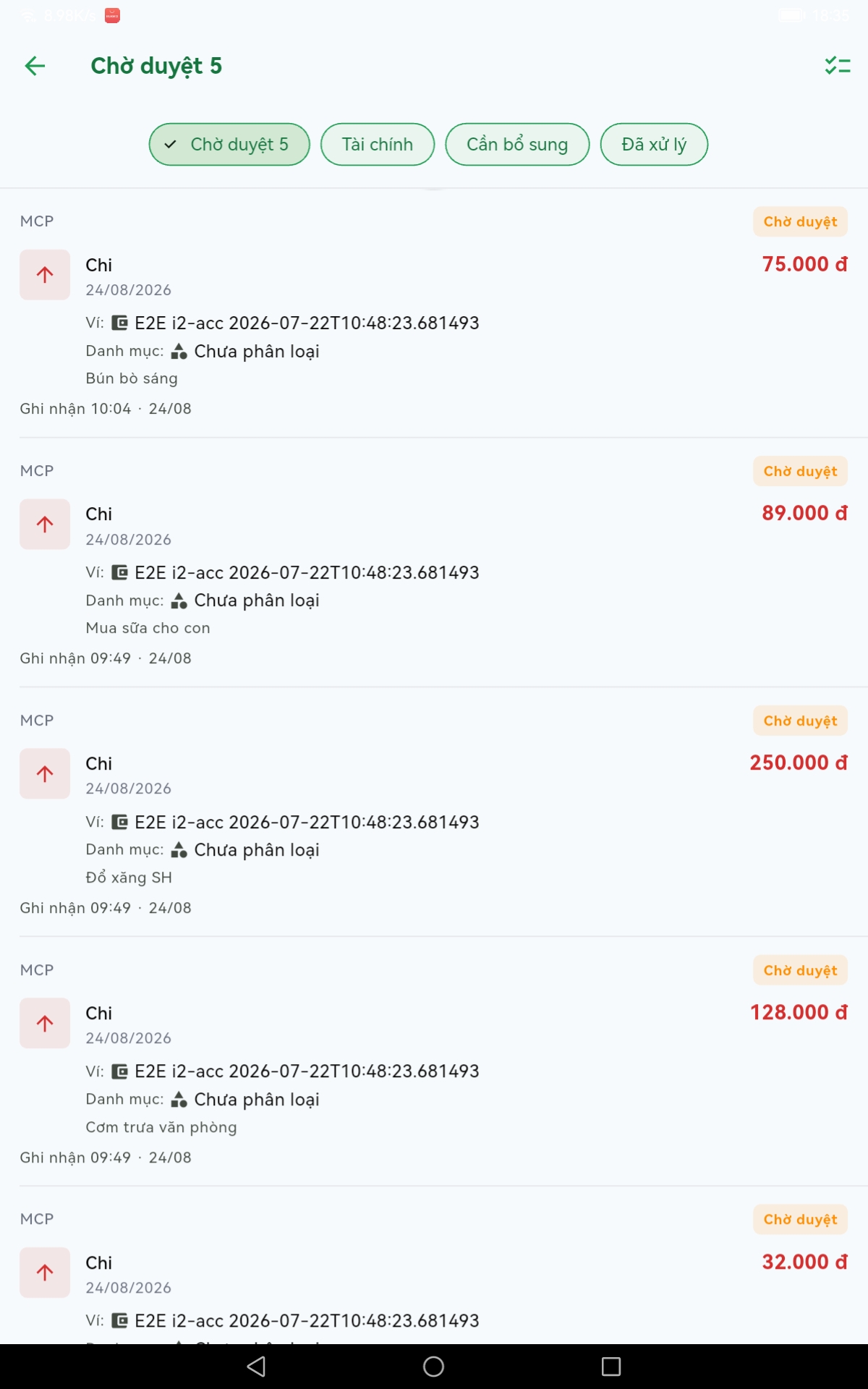
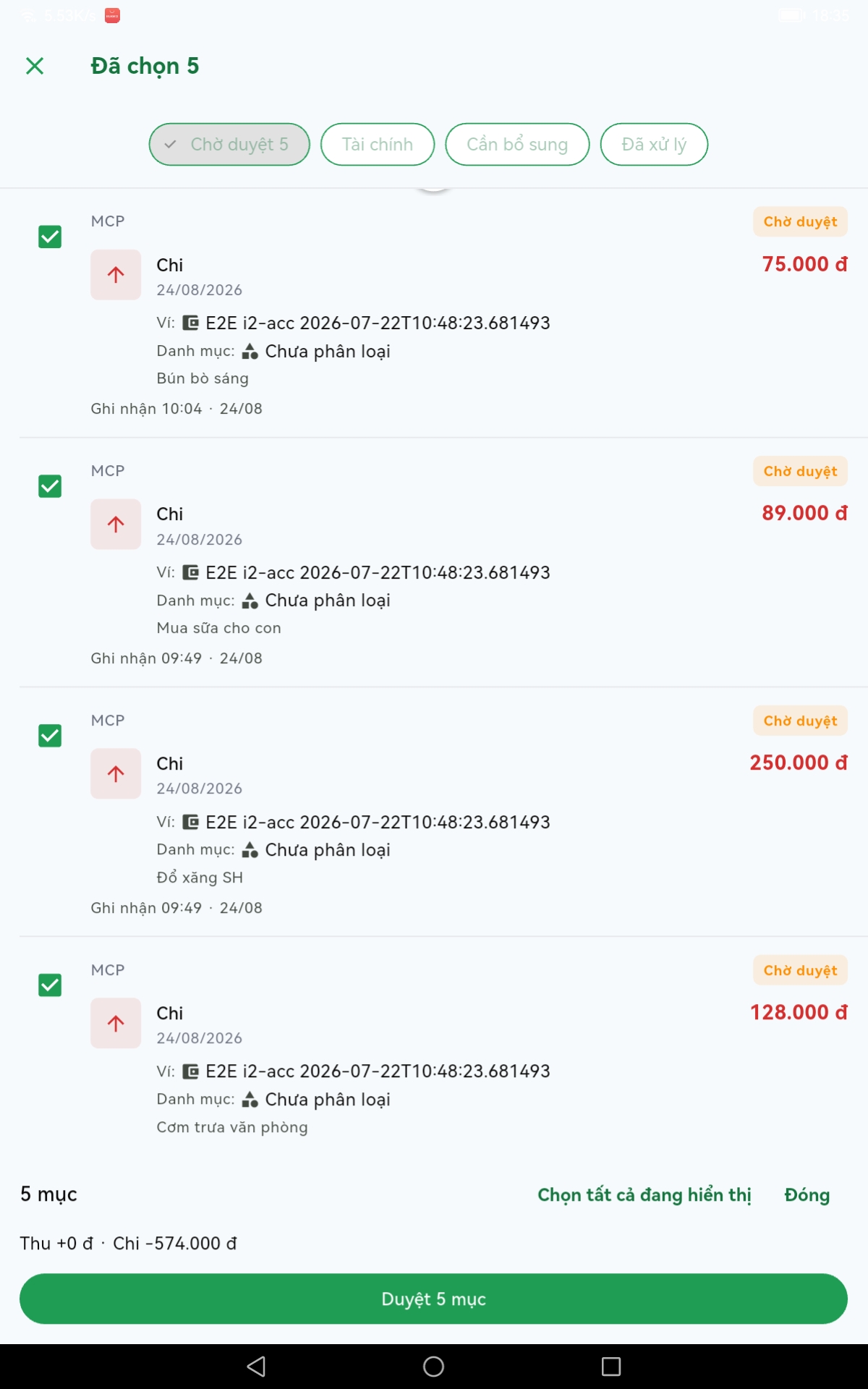
This is the part I use most. I send the chatbot one line and forget it; it becomes a pending entry. Later I open the app, review, and approve in bulk — select several, see the totals underneath, confirm once.
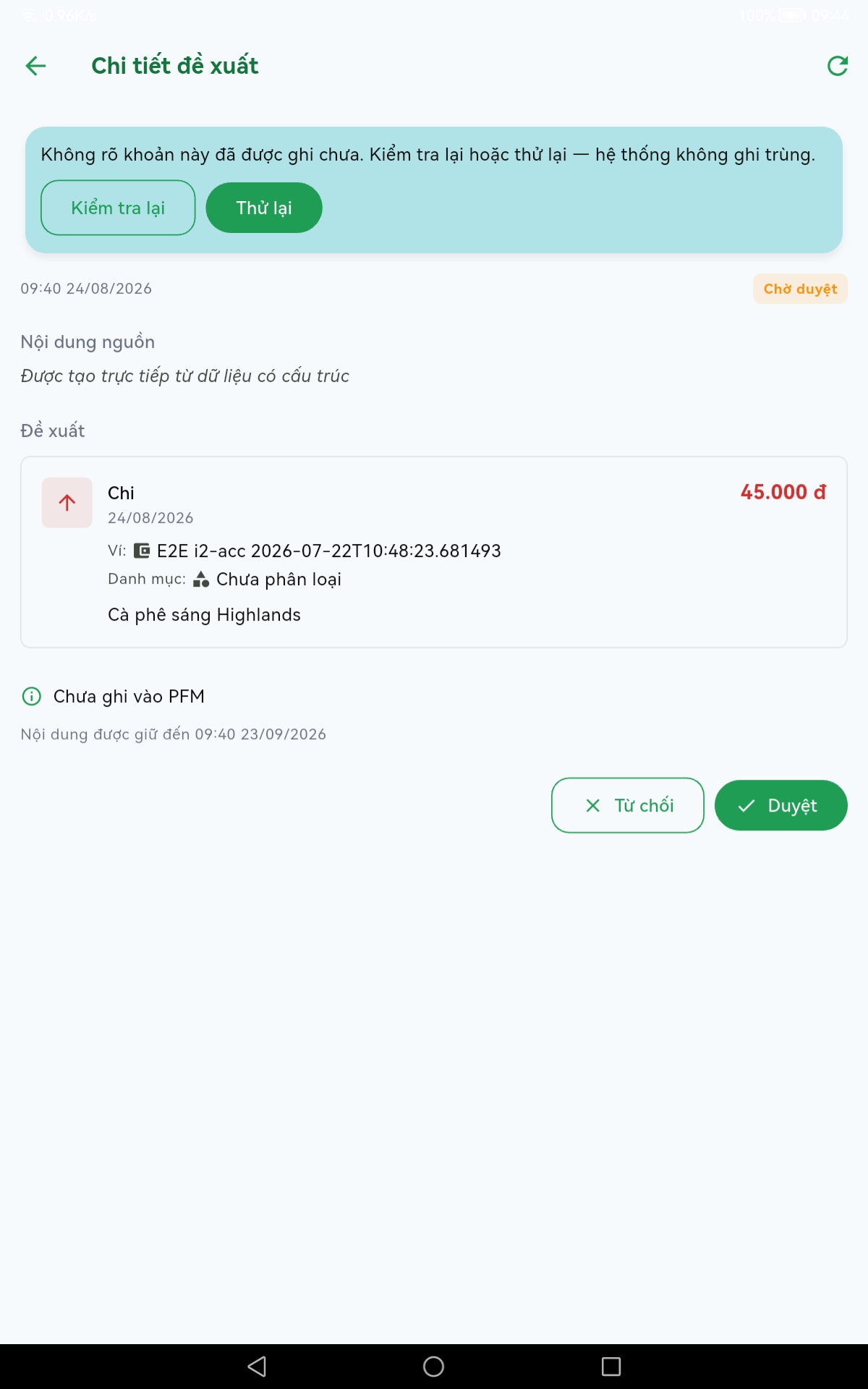
Each entry opens to show its original text and two clear buttons: reject or approve. Nothing reaches the ledger before approval.
Usable with no network
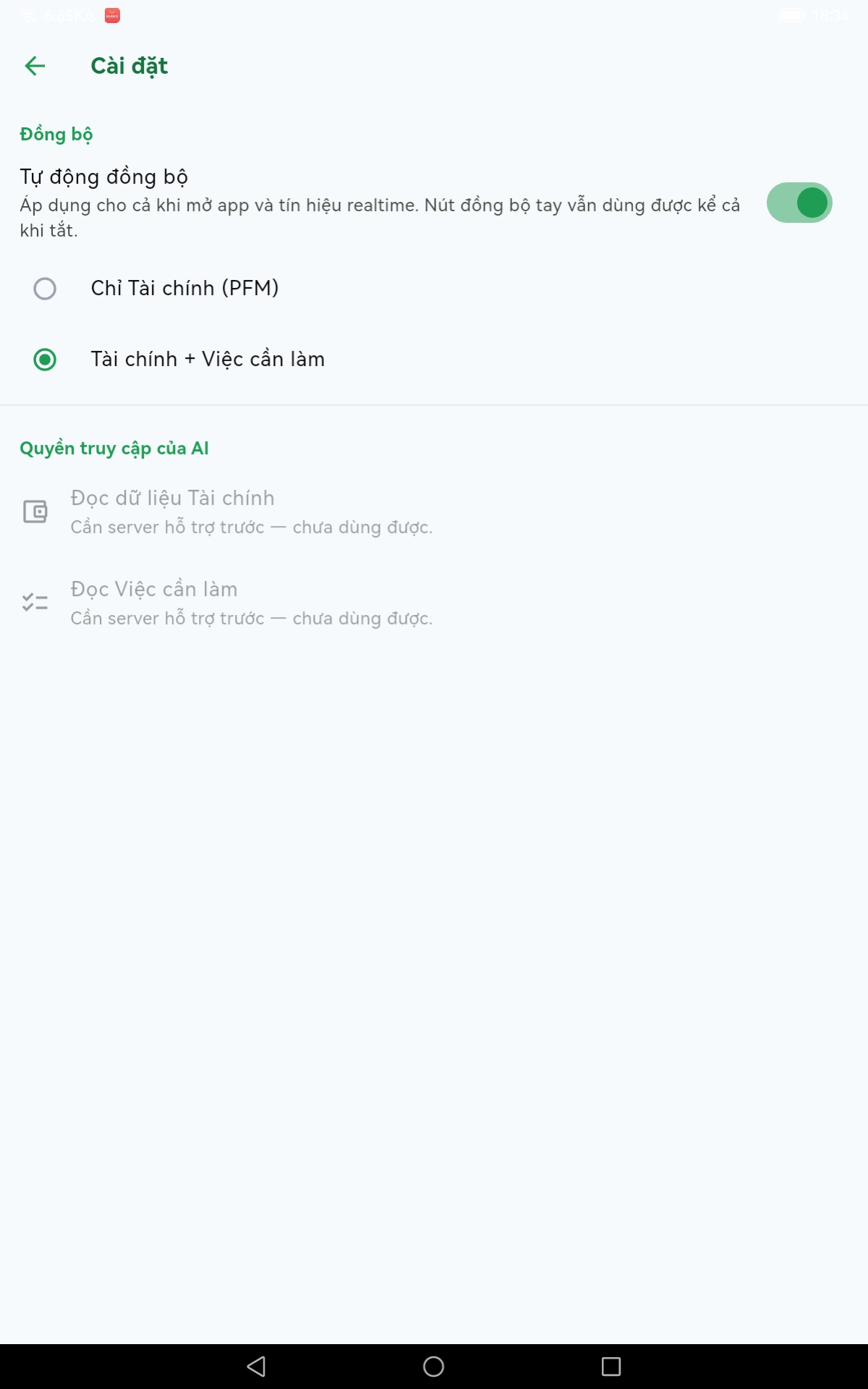
Writes land locally and queue, syncing when the network allows — including while the app is closed. You choose what syncs, and manual sync stays available even with automatic sync switched off.
Reminders are computed server-side rather than scheduled by the device, so changing timezone does not move the alarm away from the time that was entered.
The backend behind it
Not a server for this app alone. The same API serves the t4f.dev blog, the content automation, and the layer the chatbot writes through.
💡 Key Insights
🎯 Real Problem
One app per concern, three logins, and personal data sitting on someone else's servers
⚡ Solution
One app for tasks, spending and an approval inbox, usable with no network
✨ Value Delivered
Log spending in one chat message, approve it later; the data stays on my own server
👤 My Role
Solo dev — Mobile, Backend, System Architect